Users Management
Add and Modify Users
Only the administrator role is allowed to create and modify users.
The roles to choose from are:
- Admin
- can view, create, edit and delete courses
- can view, create, edit and delete lessons
- can view, create, edit and delete coaches
- can view, create, edit and delete partners
- can view and edit students
- can view, create, edit and delete lessons
- can view, create, edit and delete post
- can view and edit categories
- can view, create, edit and delete memberships
- can view, create, edit and delete products
- can view, create, edit and delete testimonials
- can view, create and edit users
- Partner
- can view courses
- can watch lessons
- Coach
- can see coaches
- can see teachers
- can view courses
- can watch lessons
- Editor
- can view, create, edit and delete courses
- can view, create, edit and delete lessons
- can view, create, edit and delete post
- can view, create, edit and delete testimonials.
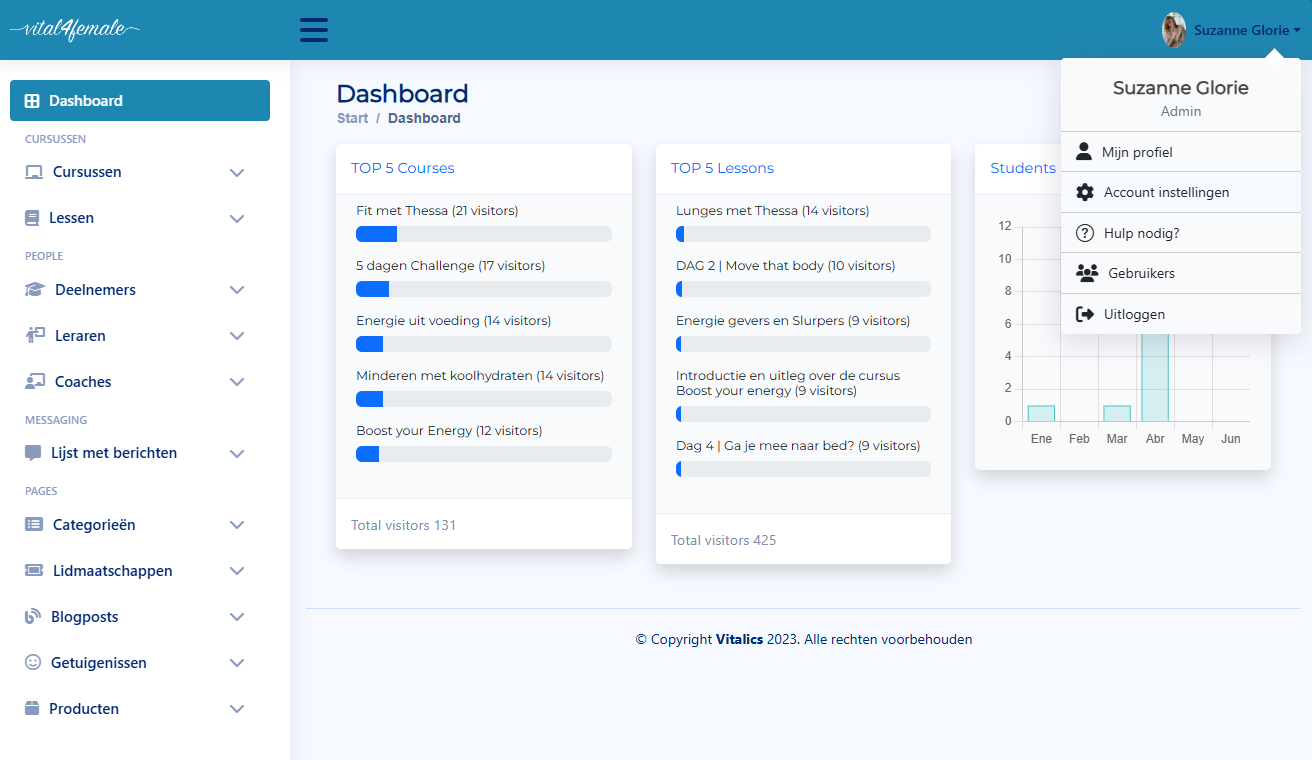
In the user menu, click Users
 Above: dashboard
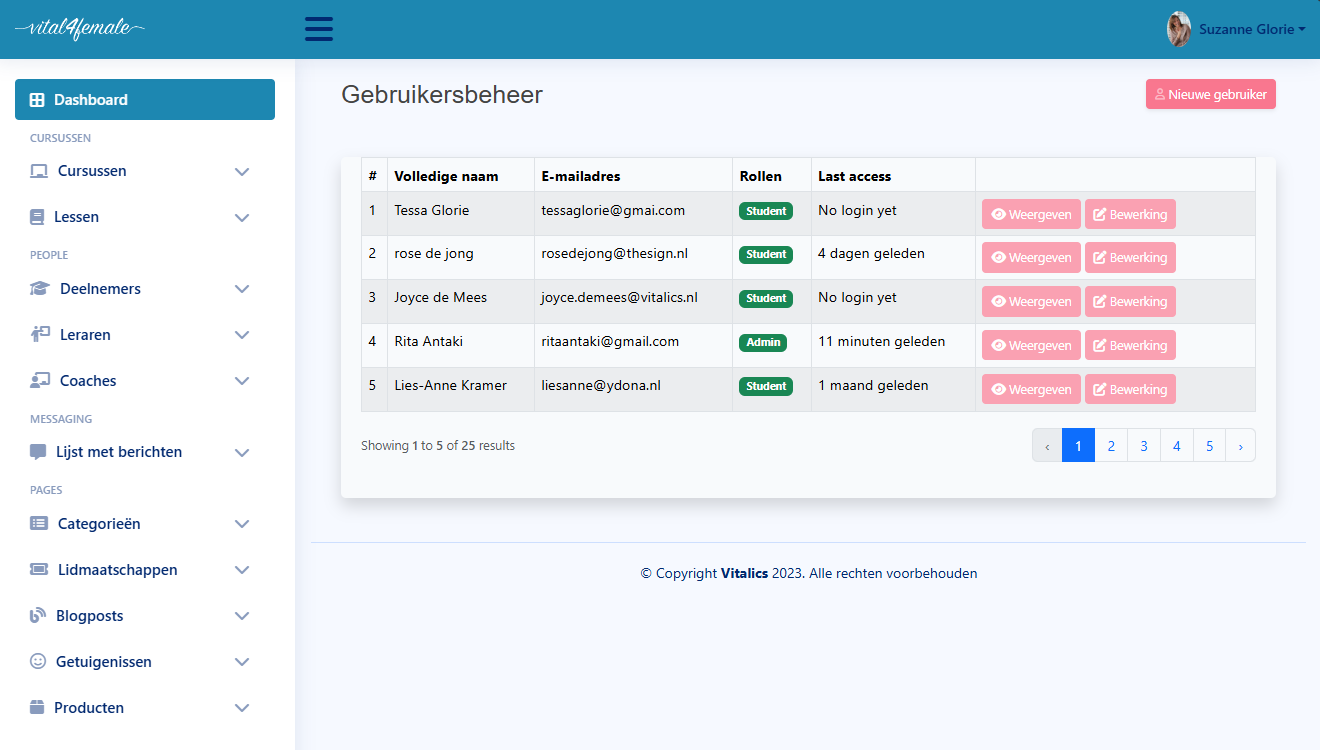
In the user list you have two options:
* Add user
* Modify user
 Above: dashboard
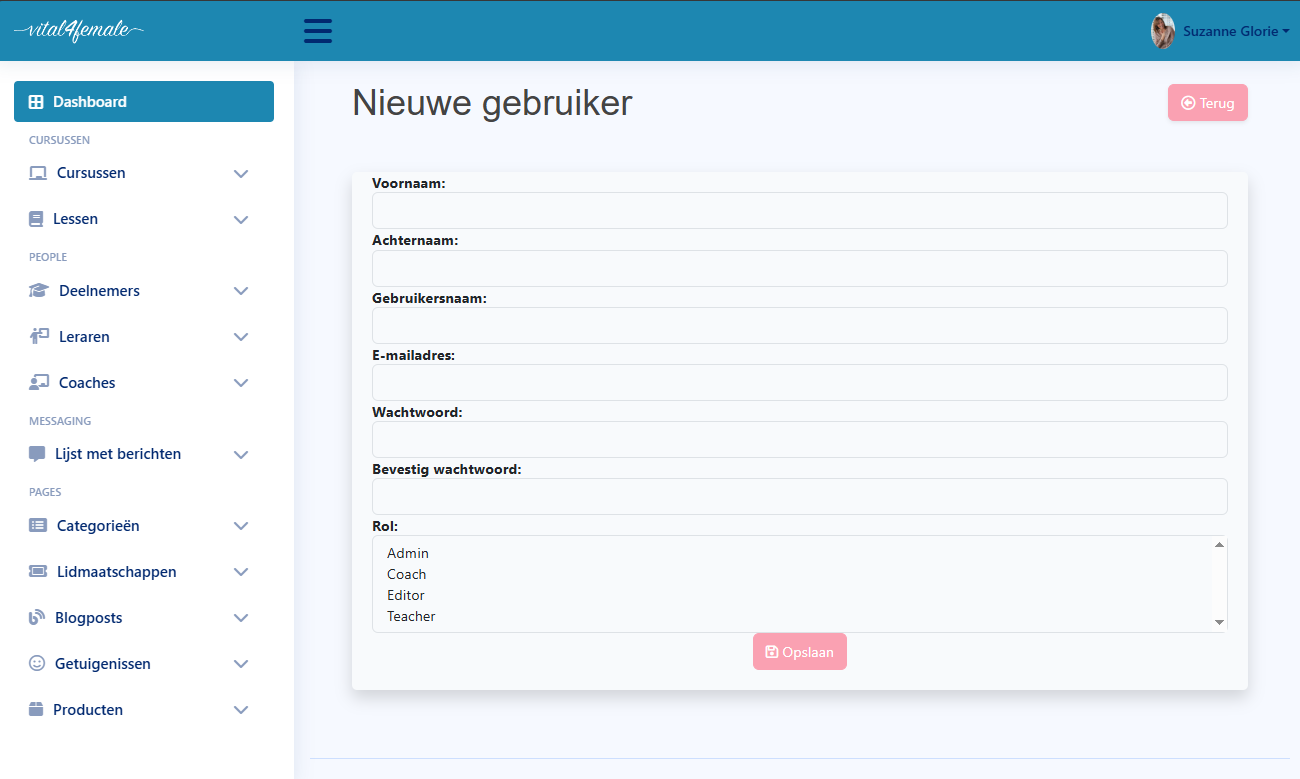
In the New User option, remember to fill out all the data and choose the user’s role.
 Above: dashboard
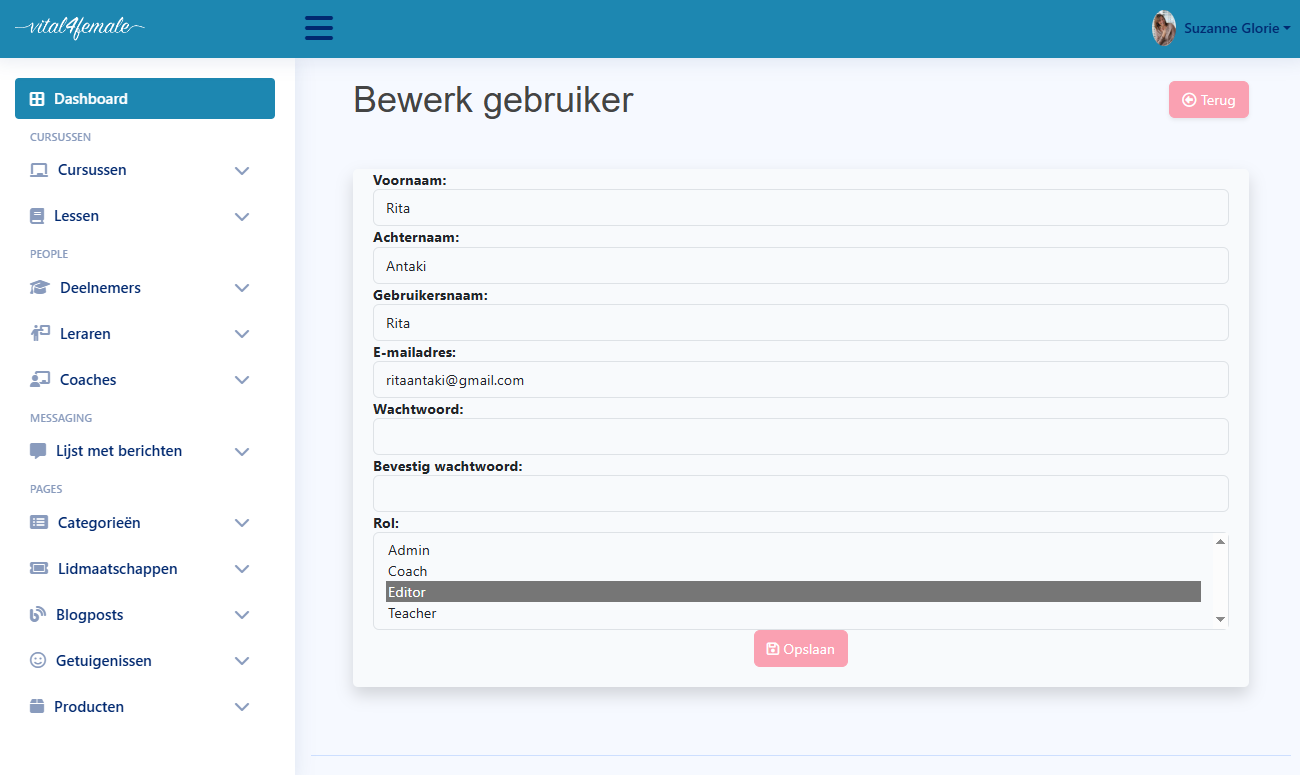
In the edit user option, you can change the user's data, password and role.
 Above: dashboard